Best AI Tools for Teachers Compared


AI is becoming a part of modern education and teachers are using it everywhere, from lesson plans and grading to generating classroom materials. AI-powered tools are helping teachers save time and improve efficiency. But with so many options out there, how do you know which AI tool is best suited to your classroom?
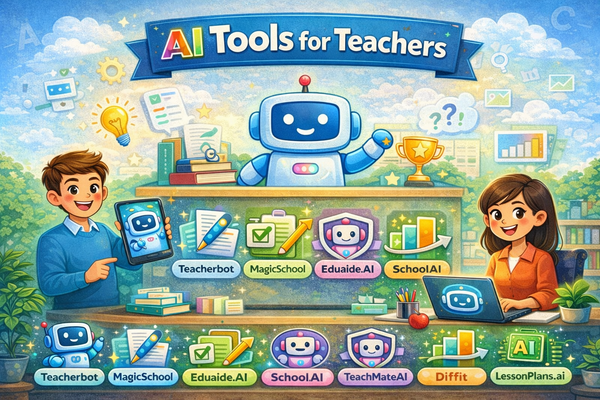
In this comprehensive guide, we will explore and compare top AI teaching assistants, including Teacherbot, MagicSchool, Eduaide.AI, SchoolAI, TeachMateAI, Diffit, and LessonPlans.ai with a focus on real classroom value, pricing, and ease of use.
To help you get started, we have created a side-by-side comparison table to quickly assess key offerings like free trials, pro plans, tool variety, and more.
Quick Comparison Table: AI Tools for Teachers
Why Compare AI Tools for Teachers?
The role of teachers extends far beyond delivering lessons. From lesson planning and grading to adapting instruction for diverse learners and managing increasing administrative responsibilities, teachers are often stretched thin.
Add to this the pressure to meet curriculum standards, track student progress, and incorporate technology and it is easy to see why teacher burnout is on the rise. This is where AI-powered teaching tools come in, not as a replacement for human teachers, but as a support system.
What Can AI Tools Do for Teachers?
Modern AI tools for teachers are built to:
Automate Time-Consuming Tasks: Think about how much time goes into preparing lesson plans, writing rubrics, creating quizzes, and organizing differentiated materials. AI tools can complete many of these in minutes, giving teachers back precious hours.
Enhance the Quality of Instruction: Instead of relying on generic templates or outdated worksheets, AI tools can generate personalized and curriculum-aligned content. This means teachers can deliver more engaging, relevant, and level-appropriate learning experiences tailored to their students.
Support Differentiation with Ease: In a typical classroom, students have different learning needs, reading levels, and language backgrounds. AI can help bridge this gap by offering scaffolding tools, multilingual support, and adaptive learning resources, all without requiring hours of manual preparation.
Reduce Teacher Stress and Burnout: The mental load of juggling lesson design, feedback, communication with parents, and administrative reporting can be overwhelming. AI tools take some of that weight off teachers’ shoulders by simplifying the workflow and removing repetitive tasks from their to-do lists.
But Why Should You Compare Tools?
Not all AI platforms are created equal. Some are robust and feature-rich but may come with a steep learning curve or be better suited for district-level use. Others are simple and fast but might lack certain customization features or student-facing functionalities.
Choosing the right tool is about more than just ticking a box; it is about finding a solution that fits your specific classroom, goals, and teaching style. Here is why comparison matters:
Depth vs. Simplicity: Do you want a tool that does everything, from writing report cards to analyzing student engagement? Or do you need something fast and focused that handles just lesson plans and quizzes? Comparing tools helps you choose based on how complex (or simple) you want your workflow to be.
Ease of Use vs. Power Features: Some teachers prefer intuitive, easy-to-use interfaces that do not require tech knowledge. Others are happy to explore advanced customization options. Not every platform strikes the same balance.
Budget and Accessibility: Pricing varies greatly. Some platforms offer generous free versions, while others are geared toward institutions with higher budgets. Comparing cost against value ensures you get the best return on your investment, whether it is your own money or your school’s.
Classroom Fit: Teaching a multilingual class? Need integration with Google Classroom? Want students to interact with AI directly? Each platform has strengths and limitations in these areas.
Ultimately, comparing AI tools gives teachers the power to make informed decisions based on their unique challenges, goals, and classroom contexts. Rather than defaulting to the most advertised option, it allows teachers to choose what serves them and their students the best.
1. Teacherbot: Simple, Fast, and Focused
Teacherbot is an AI-powered assistant built specifically for classroom teachers who need fast, effective support in creating daily teaching materials. Unlike platforms that try to cover everything from student monitoring to complex integrations, Teacherbot sticks to the essentials, helping teachers generate high-quality, ready-to-use content in a matter of minutes.
It is designed for teachers who want to streamline their planning process without having to learn a new system or deal with complicated technology. You do not need to install anything or go through lengthy onboarding. Just enter your teaching goal, and the tool gets to work.
Key Strengths
Focused on Core Teaching Needs: Teacherbot centers its functionality around the tasks teachers do most often, designing lesson plans, creating student worksheets, generating assessments, and preparing grading rubrics. It does not overwhelm users with dozens of features that may not apply to day-to-day teaching.
No Technical Setup or LMS Requirements: There is no need to connect to external platforms like Google Classroom or Canvas, and no IT support is needed to get started. The interface works directly from your web browser and is built to be intuitive, even for teachers who do not consider themselves tech-savvy.
Versatile Across Grades and Subjects: Whether you are teaching kindergarten, high school biology, or middle school history, Teacherbot adapts to different subjects and grade levels. You can tailor outputs based on the age group, subject area, and even tone of communication.
Standout Features
Lesson Plan Generator: Instead of spending hours mapping out objectives, warm-ups, activities, and assessments, you can simply type in your topic, desired outcomes, and student level. Teacherbot produces a structured, editable lesson plan that can be customized further if needed.
Worksheet Creator: This feature is especially useful for daily practice, homework, or substitute teacher packs. Whether you need a quick bell-ringer, comprehension check, or visual matching exercise, Teacherbot can generate worksheets that are aligned with your topic and student age.
Quiz Builder: Teacherbot’s Quiz Generator helps you create assessments on the fly, including multiple-choice, short-answer, and true/false questions. You can also request questions at varying difficulty levels and align them with your curriculum goals. It is a time-saver for both formative and summative assessments.
Rubric Generator: Clear grading criteria make evaluations easier for both teachers and students. Teacherbot allows you to input your assignment type and performance expectations, then outputs a detailed rubric that you can tweak or use as-is.
Curriculum-Aligned Content: Teacherbot is not just fast, it is smart. You can specify your curriculum standards (e.g., Common Core, UK National Curriculum), and the generated content will align accordingly. This ensures that materials are not just convenient, but also instructionally relevant and standards-compliant.
Pricing Breakdown
- Pro Plan - £4.99/month: Includes up to 50 content generations per month. Ideal for teachers who need weekly support with planning, quizzes, and worksheets.
- Pro Plus Plan - £9.99/month: Offers 100 content generations per month along with priority customer support. This tier is suitable for teachers with heavier content needs or those managing multiple subjects.
- Schools Plan - Custom Pricing: Designed for schools or districts, this plan includes all premium features, administrative controls, curriculum tailoring, and priority onboarding. It allows multiple teachers to access Teacherbot under one institutional account.
Best For
- Especially helpful for individual educators who do not have access to institutional tech or support staff.
- Great for teachers with limited prep time who need fast, reliable tools for day-to-day instruction.
- Perfect for those who want clear, printable teaching materials without navigating a complex platform or multi-feature dashboard.
2. MagicSchool: Feature-Rich & District-Friendly
MagicSchool is a comprehensive AI platform built specifically for K-12 teachers and institutions. It goes beyond individual content generation to offer an expansive suite of over 80 tools that support instructional planning, communication, differentiation, student engagement, and administrative tasks.
What sets MagicSchool apart is its dual focus: it is designed not only to assist teachers with classroom materials but also to enhance district-level implementation with student-facing features, Learning Management System (LMS) integrations, and privacy compliance frameworks suitable for school-wide adoption.
Key Strengths
Extensive Tool Library: MagicSchool includes over 80 specialized tools aimed at helping teachers meet a wide range of needs. These include generators for lesson plans, rubrics, assessments, accommodations for IEPs (Individualized Education Programs), parent communication templates, behavior management ideas, and much more.
Student-Facing AI Assistant: Raina: A standout feature of MagicSchool is “Raina,” an AI chatbot designed specifically for student use. Raina allows students to ask questions, receive guidance, and engage in interactive learning directly within the platform.
LMS Integrations: MagicSchool integrates seamlessly with widely-used Learning Management Systems including Google Classroom, Canvas, and Schoology. Teachers can export content like quizzes, lesson plans, and announcements directly into their LMS, making it easier to deliver materials and manage classroom workflows without switching platforms.
Compliance and Privacy: The platform meets key data privacy standards such as COPPA, FERPA, GDPR, and SOC 2, which is especially important for schools and districts concerned with protecting student data. This makes MagicSchool a safe and secure option for widespread classroom deployment.
Pricing Breakdown
- Free Tier: Allows access to a selection of core tools, including lesson plan generation, rubrics, and quizzes. This is a good starting point for teachers who want to explore the platform’s features or use it for light, occasional support.
- Plus Plan - $8.33/month (Billed Annually): This plan unlocks full access to all available tools, offers unlimited content generation, and includes advanced features like chat-based integrations and enhanced support. It is designed for teachers who use the platform regularly and want a complete range of features.
- Institution Plan – Custom Pricing: Tailored for schools and districts, this plan provides centralized account management, onboarding support, and administrator-level controls. It also includes priority access to new features and training resources, making it suitable for large-scale implementation.
Best For
- MagicSchool’s infrastructure is optimized for multi-user environments and district-wide deployment. It works well in schools looking to standardize AI use across multiple classrooms or campuses.
- Educators who actively use Google Classroom, Canvas, or other LMS platforms will benefit from the direct export and integration features that streamline lesson delivery and student management.
- MagicSchool is ideal for teachers managing diverse student populations, especially those who require regular use of IEP accommodations, differentiated materials, and formal documentation tools.
3. Eduaide.AI: Powerful and Customizable
Eduaide.AI is an AI-powered teaching assistant designed by teachers to meet the real-world demands of today’s classrooms. With an impressive library of over 110 content-generation tools and more than 25 classroom support tools, Eduaide.AI focuses on flexibility, customization, and user control.
It is especially useful for teachers who want more creative freedom when crafting instructional materials. What sets Eduaide.AI apart is its balance between structured support and open-ended customization, allowing teachers to fine-tune outputs and adapt resources on the fly.
Key Strengths
Extensive Tool Variety: Eduaide.AI covers nearly every possible need in the teaching workflow. The 110+ tools support content generation tasks like lesson starters, discussion prompts, vocabulary lists, project outlines, writing scaffolds, and exit tickets. Beyond that, its 25+ classroom tools help with things like parent communication, behavior interventions, and classroom management strategies.
Built-in Real-Time Editing: One of Eduaide.AI’s standout features is its AI Editor, which allows teachers to make real-time refinements to any generated content directly within the platform. You do not have to copy and paste into a separate document, adjustments can be made instantly, enabling a fast and efficient customization loop.
Multilingual and Inclusive: Eduaide.AI supports content generation in over 15 different languages, making it highly suitable for ESL teachers, multilingual classrooms, or international educators. You can create worksheets, lessons, and feedback in the language that best fits your students’ needs.
Specialized Tools and Creative Formats: Eduaide does not just stick to traditional teaching templates. It includes tools to create escape rooms, role-playing scenarios, debate guides, and interactive writing prompts, allowing teachers to integrate engaging, non-standard instructional activities into their lessons.
Pricing Breakdown
- Free Plan: Allows up to 15 content generations per month. This option is ideal for light users or those wanting to test the platform before committing.
- Pro Plan - $5.99/month: Unlocks unlimited content generation and full access to all tools. It also includes future updates, priority feature access, and enhanced platform support.
Best For
- Eduaide.AI is ideal for educators who prefer to tailor their materials in detail, rather than use pre-structured templates. The editing interface makes this process easy and fast.
- The ability to generate multilingual content sets Eduaide apart for language-diverse schools and international teachers.
- If you enjoy bringing creative formats like escape rooms, storytelling, and collaborative projects into the classroom, Eduaide’s content tools make it easy to do so without starting from scratch.
4. SchoolAI: Interactive and Student-Facing
SchoolAI is a classroom-focused AI platform built to serve both teachers and students, with a strong emphasis on real-time interaction and student-centered learning. It offers a distinctive feature set centered around chat-based learning environments called “Spaces” where students engage directly with AI-powered virtual assistants, while teachers monitor and manage these interactions.
This dual approach makes SchoolAI especially useful for educational settings that prioritize individualized instruction, student engagement, and data-driven teaching strategies.
Key Strengths
Student-Centric AI “Spaces”: The core feature of SchoolAI is its interactive Spaces, which function as AI chat environments tailored for student use. Within these Spaces, students can ask questions, receive immediate feedback, complete assignments, and interact with curriculum-aligned content.
Teacher Dashboards with Insights: SchoolAI includes a comprehensive dashboard that gives teachers visibility into student activity within the AI Spaces. It tracks engagement metrics, identifies areas where students struggle, and flags potential learning concerns. This allows teachers to provide targeted interventions quickly and efficiently.
Data Privacy and Compliance: The platform complies with major data privacy standards, including FERPA, COPPA, and other US-based regulations. This makes it a safe choice for K-12 environments where student data security is a top concern.
Curriculum-Aligned Resource Generation: Teachers also have access to AI tools for generating lesson plans, quizzes, rubrics, and individualized education goals (IEPs), helping streamline common planning tasks.
Use Case Flexibility: SchoolAI is suitable for both classroom and remote learning environments, as all student-AI interactions can be conducted digitally with teacher oversight.
Pricing Breakdown
- Free Plan: Includes access for individual teachers with a limit of 75 AI Space sessions per day. Core tools like basic lesson generation and rubric creation are included.
- Team Plan - $1,270/year: Designed for small school teams, this plan supports up to 10 staff users, provides unlimited AI Spaces, and unlocks access to more advanced AI models and analytics.
- Custom Institutional Plans: For districts and larger institutions, pricing is customized based on the number of users and desired integrations. These plans include centralized management features, admin controls, LMS integrations, and priority support.
Best For
- SchoolAI’s real-time dashboards and usage analytics make it a strong choice for administrators and teachers who need to track student performance across classrooms.
- Teachers looking to embed responsive AI tutoring into their instruction, especially for homework help or independent practice will find SchoolAI’s Spaces feature particularly valuable.
- Ideal for environments where students are already familiar with digital tools and where teachers are comfortable managing AI-powered workflows and dashboards.
5. TeachMateAI: Versatile and Data-Aware
TeachMateAI is a teacher-focused AI platform that offers an extensive collection of over 134 educational tools, making it one of the most feature-rich solutions available for educators. Developed by teachers, its main goal is to help educators reduce planning time, access varied content formats, and maintain curriculum alignment across regions like the UK, US, and Canada.
What distinguishes TeachMateAI from other platforms is its built-in time tracking feature, which calculates and reports how much time each user saves through automation—ideal for data-driven educators or school teams evaluating return on investment.
Key Strengths
Large Tool Library: With over 134 tools, TeachMateAI covers a wide range of teaching tasks. This includes generators for lesson plans, worksheets, quizzes, comprehension tasks, vocabulary lists, and knowledge organizers.
Time-Saving Analytics: Every time a teacher uses a tool, TeachMateAI logs how much time was saved compared to doing the task manually. These savings are tracked cumulatively, helping teachers quantify their productivity gains. This feature is especially useful for teams or administrators who want visibility into efficiency metrics.
Curriculum-Specific Outputs: TeachMateAI allows users to generate content aligned with specific educational standards and curricula across the UK, US, and Canadian systems. This ensures the materials are not just high-quality, but also instructionally accurate and suitable for formal teaching requirements.
Pricing Breakdown
- Monthly Plan - £6.99: Gives individual users full access to all tools, time-tracking, and curriculum alignment features.
- Annual Plan - £72/year: Offers a discounted rate for yearly access (approximately £6/month).
- School Plan - £497/month for 10 users: Designed for institutional use. Offers centralized management, shared usage analytics, and account-level administration. Equivalent to about £4,970/year.
Best For
- Ideal for teachers who need access to diverse content formats beyond just lesson plans or quizzes. TeachMateAI supports both standard and niche classroom needs.
- With its ability to align outputs with national education standards in three countries, TeachMateAI ensures instructional quality and compliance.
- The time-saving tracker is particularly useful for teachers and school leaders who want to measure the impact of AI use on daily workloads and time management.
6. Diffit: Differentiation Made Easy
Diffit is an AI-powered tool designed specifically to support differentiated instruction in reading and comprehension. It allows teachers to take any piece of text, whether it is from the curriculum, an online article, or a video transcript and automatically adapt it to multiple grade-appropriate reading levels.
This makes it a valuable resource for classrooms with diverse learning needs, English language learners, and inclusive teaching strategies. The platform focuses on helping teachers deliver content that matches each student’s reading ability while still engaging with the same core topic or lesson objective.
Key Strengths
Automatic Text Differentiation by Grade Level: Teachers can paste in any content (or even just a link to an article or YouTube transcript), select the target reading level (e.g., 2nd to 11th+ grade), and receive a rewritten version of that content matched to the selected grade level. Diffit maintains the core meaning while simplifying sentence structure and vocabulary.
Scaffolded Learning Resources: In addition to differentiated reading passages, Diffit generates a complete package of support materials, including, vocabulary lists, comprehension questions (multiple choice, short-answer, open-ended), graphic organizers, writing prompts, and summaries (e.g., 3-2-1 reflection templates)
Export and LMS Integration: Diffit allows teachers to easily integrate Diffit resources into their existing digital workflows and classroom routines.
Pricing Breakdown
- Free Plan: Diffit offers a completely free plan for individual teachers, with no limit on usage. Teachers can create as many differentiated materials as needed, making these highly accessible for solo classroom use.
- Premium School & District Plans: Institutions that require admin access, centralized controls, or volume licensing can access custom pricing for school-wide or district-wide deployment.
Best For
- Diffit is particularly useful for classrooms that serve a wide range of reading abilities, such as mixed-ability groups, ESL students, or students with IEPs.
- Ideal for language arts teachers, reading specialists, and interventionists who need to tailor texts while preserving rigor and engagement.
- Whether adapting science content for younger learners or simplifying social studies articles, Diffit helps ensure all students can access the same core material at a level they can understand.
7. LessonPlans.ai: The Lesson Expert
LessonPlans.ai is a specialized AI platform built with one primary goal, to help teachers create structured, high-quality lesson plans that are instructionally sound and curriculum-aligned. Unlike many other AI tools that offer a broad variety of educational resources, LessonPlans.ai keeps its focus narrow but deep, making it an ideal choice for teachers who want clear, comprehensive guidance for lesson delivery.
Key Strengths
Step-by-Step Lesson Plan Generation: LessonPlans.ai stands out for producing well-structured, pedagogically sound lesson plans that include, learning objectives, warm-up activities or bell ringers, materials list, and assessment methods.
Customizable Plans: While LessonPlans.ai provides a detailed structure, it also allows for customization. Teachers can adjust the tone, grade, subject, and instructional approach to better align with their own teaching style or district expectations.
Free Sample Library: Users can explore a selection of sample lesson plans without needing to sign up for a paid plan. These samples showcase various content types from persuasive writing to geography or economics, allowing teachers to evaluate the quality before committing.
Live Chat Support: LessonPlans.ai offers real-time support via live chat, helping teachers troubleshoot issues or receive guidance on how to maximize the platform’s features.
Pricing Breakdown
- Pro Plan - $49/year: This subscription provides access to up to 100 AI-generated lesson plans annually, covering all subjects and grade levels. It includes full-feature access and ongoing updates.
- Promo Codes Available: Discount codes (e.g., "SAVE40") are often available and can reduce the first-year cost to $29.40, making it an affordable choice for budget-conscious educators.
- Free Tier: The free version offers access to a limited number of sample lessons and basic plan generation features for testing purposes.
Best For
- Beneficial for those still developing their teaching approach. They will benefit from the ready-made structure and clarity provided in each plan.
- LessonPlans.ai is excellent for preparing multi-day units or themed instructional blocks where cohesion across lessons matters.
- Whether teaching persuasive writing, geography, or science concepts like photosynthesis, the platform adapts the output to reflect accurate and engaging content.
Real Teacher Scenarios: Which Tool Fits Who?
1. The New Teacher
Profile: A first-year teacher overwhelmed by planning and grading.
Needs: Structured lessons, simple interface, no need for LMS setup.
Recommended Tool: Teacherbot or LessonPlans.ai
Why: Both tools offer plug-and-play lesson planning. Teacherbot also provides quick quizzes and rubrics, essential during the first chaotic year.
2. The ESL/Multilingual Teacher
Profile: Teaches English to students from diverse language backgrounds.
Needs: Multilingual support, differentiated reading levels.
Recommended Tool: Eduaide.AI or Diffit
Why: Eduaide supports 15+ languages and custom feedback, while Diffit helps simplify texts at multiple levels with vocabulary support.
3. The District Tech Coordinator
Profile: Oversees edtech implementation across multiple schools.
Needs: Student-facing tools, LMS integration, admin controls.
Recommended Tool: MagicSchool or SchoolAI
Why: Both tools scale well across districts, support compliance (FERPA, COPPA), and integrate with major LMS platforms.
4. The Time-Starved Solo Teacher
Profile: Juggling multiple grades or subjects, maybe even teaching across disciplines.
Needs: All-in-one assistant, minimal setup.
Recommended Tool: Teacherbot
Why: It delivers lesson plans, quizzes, rubrics, and more - fast. Perfect for one-person classrooms where multitasking is essential.
5. The Creative, Hands-On Educator
Profile: Loves making escape rooms, student-led projects, or themed lesson days.
Needs: Variety, content editing, out-of-the-box formats.
Recommended Tool: TeachMateAI or Eduaide.AI
Why: These tools offer creative templates, editable content, and niche formats like comprehension cards and story-based learning.
The Ultimate AI Tool Decision Guide for Teachers
Choosing an AI tool is not just about picking what is trendy; it is about matching the tool to your teaching goals, your tech comfort level, and your daily workload. Here is a step-by-step breakdown to help you decide:
Step 1: Define Your Primary Pain Points
Ask yourself:
- Do I spend too much time planning lessons?
- Is grading or rubric creation taking up evenings?
- Do I need differentiated materials for students with varying skill levels?
- Am I managing multiple subjects or classes?
- Do I want student-facing AI features?
Write these down and rank them in order of urgency.
Step 2: Match Features to Needs
Refer back to the comparison table and scenarios. For example:
- If your #1 pain point is lesson planning, Teacherbot and LessonPlans.ai are top options.
- If your challenge is differentiation and multilingual support, go for Eduaide.AI or Diffit.
- If you want one-click exports to Google Docs or Slides, MagicSchool or TeachMateAI offer that.
Step 3: Test the Free Versions
Before committing:
- Try 2-3 tools using their free trials or accounts.
- Set a timer and see how fast and accurate the results are.
- Compare outputs for the same prompt across tools (e.g., "Grade 5 persuasive writing lesson").
Step 4: Consider Longevity and Support
Ask:
- Is this tool regularly updated?
- Do they offer teacher support or live chat?
- Is the pricing sustainable for your personal or school budget?
Tools like Teacherbot and Eduaide.AI offer affordable monthly plans, while MagicSchool and SchoolAI may require institutional support.
Step 5: Choose Based on Daily Workflow
If you prefer simplicity and speed, Teacherbot is ideal; it does not distract you with dozens of tool menus. If you enjoy tweaking and experimenting, Eduaide or TeachMateAI offer creative freedom.
For LMS integration and student monitoring, MagicSchool and SchoolAI are better fits.
Reminder: You do not need to pick just one tool forever. Many teachers use multiple platforms depending on the task at hand.
Why Teacherbot Works for Most Teachers
After comparing feature sets, pricing, and real classroom use cases, Teacherbot quietly emerges as one of the most efficient and teacher-friendly tools, especially for those who need speed, simplicity, and solid core features.
- Instant Use, No Training Needed: Unlike some tools that require walkthroughs or dashboard setups, Teacherbot works right out of the box.
- Focused Feature Set: It does not overwhelm you with 100+ tools. It focuses on the things teachers do daily: plan, quiz, assess, and communicate.
- Budget-Friendly: At under £10/month, it is far cheaper than most school-wide platforms and offers a full toolkit for solo use.
- Scalable for Institutions: With custom school plans, it can grow with your teaching team or department.
Even if you explore other platforms, Teacherbot is a reliable tool to keep in your digital toolbox for day-to-day teaching tasks.
Final Thoughts: Making AI Work for You
AI tools should serve you, not the other way around. The goal is not to adopt the most complex platform but to choose what makes your teaching life easier, more creative, and more student-centered.
Whether you are teaching in a rural classroom with no LMS, running a high-tech STEM lab, or planning support sessions for multilingual learners, there is a tool on this list that can meet your needs. Let AI take care of the time-consuming tasks, so you can get back to doing what you do best: teaching.